
Homework Tracker
Homework set in minutes, marked at once
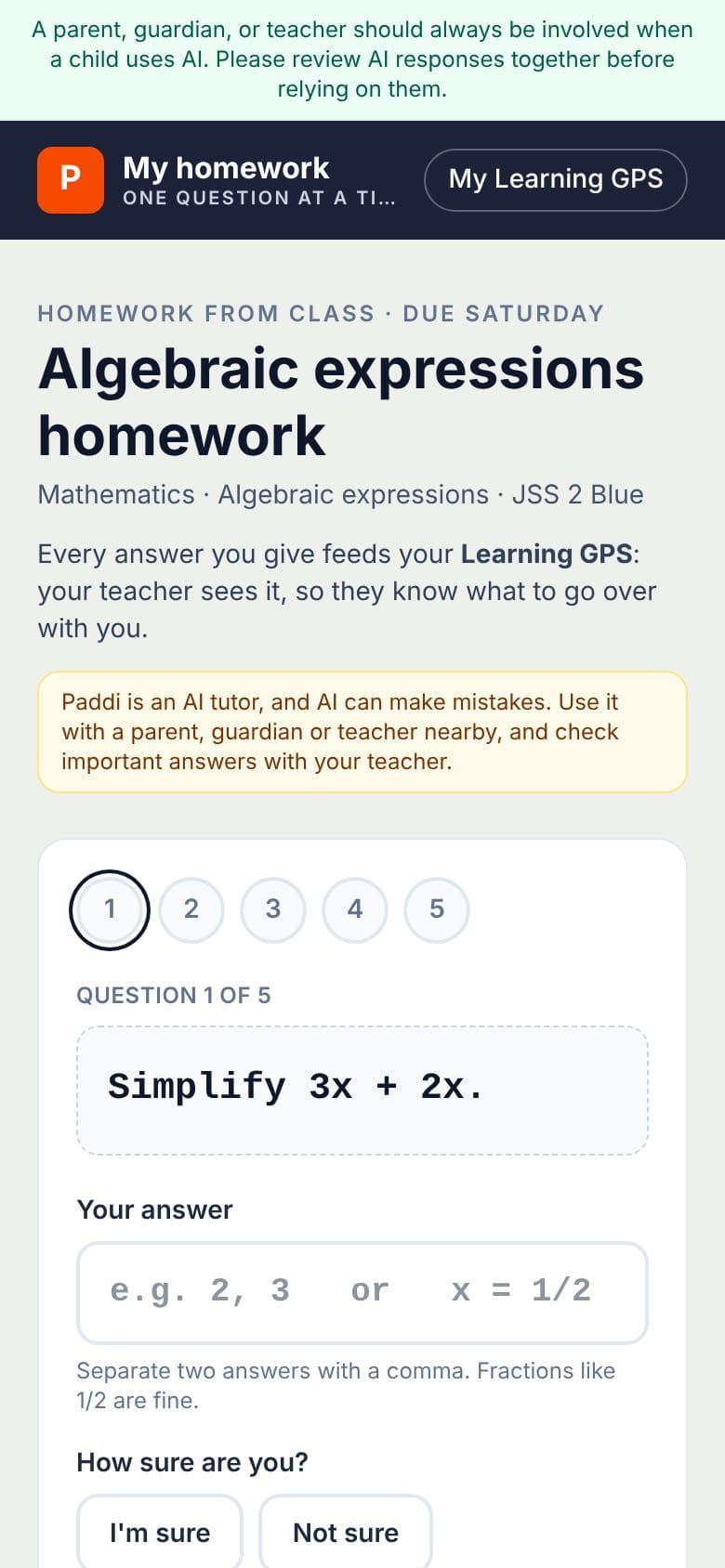
Mrs Okafor sets fractions homework. Every answer is marked the moment it's given, and paired with whether the pupil was sure: so she knows who's confident but wrong, and fixes that first. Stuck? Homework help is one tap away.
- ✓Short answers and multiple choice marked at once
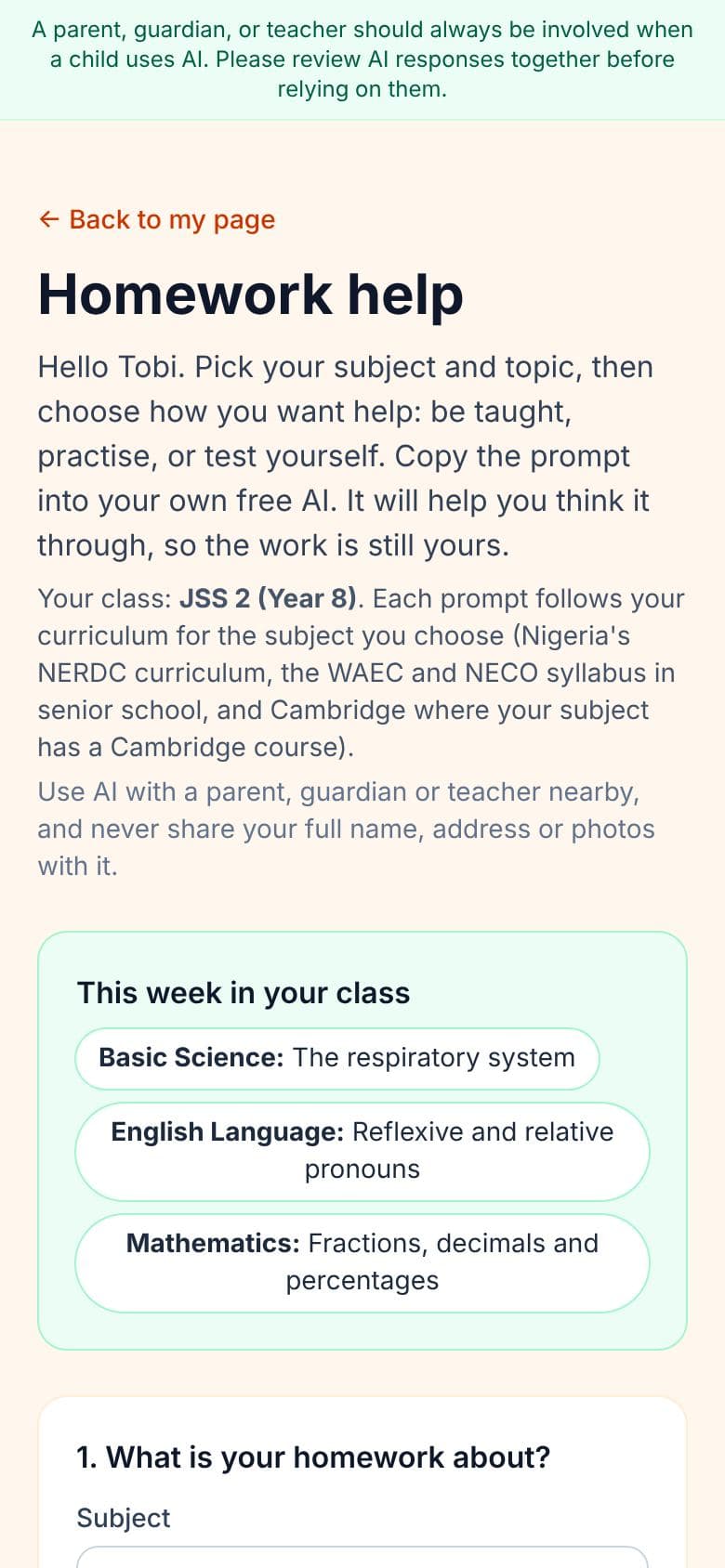
- ✓Homework help: ready-made prompts for every topic, so pupils can understand and practise before they answer (teach me, help me practise, test me, quiz me)
- ✓A class mark book, WAEC grades and progress reports
₦2,000 per student, a term
Learning GPS
How each learner feels matters as much as their marks
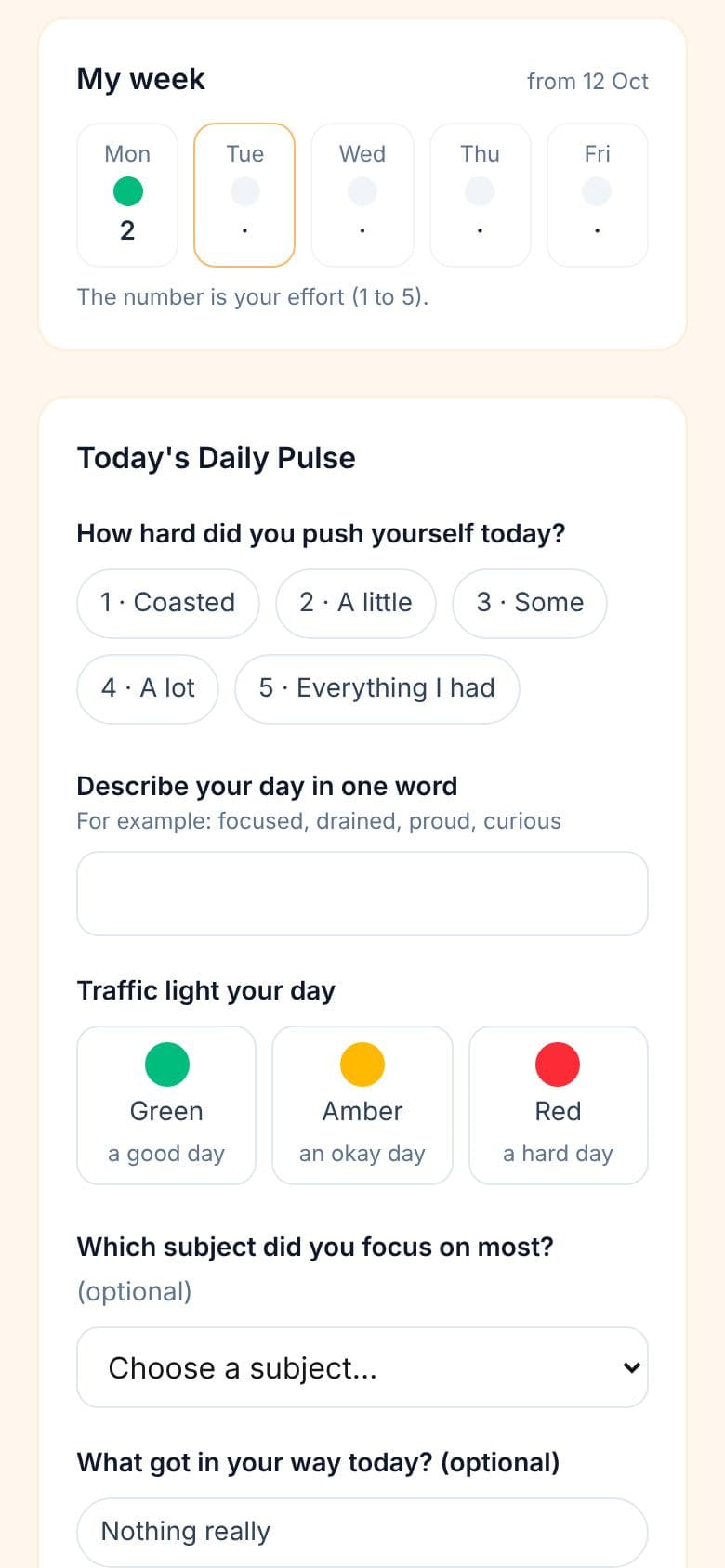
Two minutes at the end of each day, every pupil does a Daily Pulse: their effort, one word for their day, a traffic light. On Monday, each form teacher's list shows who needs them first, and the school's safeguarding contact sees anything urgent.
- ✓Daily Pulse, Friday Reflection and a GPS Check for every test
- ✓Each form teacher's Monday list, urgent ones first
- ✓Designed with Dr Timi Hyacinth's ASEF framework
From ₦13,500 a term
Everything in Homework Tracker
Built around how your school already works
Your scheme of work, or ours
Our NERDC and Cambridge scheme, Primary 1 to SS 3, for Maths, English, Basic Science, Physics, Chemistry and Biology. Or load your own: type it, upload a spreadsheet, or a photo or PDF of it.
Homework marked at once
Short answers and multiple choice marked as pupils answer, and written answers for you to mark with a comment. The marks go straight into your mark book.
Confident but wrong, flagged
Every answer says how sure the pupil was, so you put the misunderstandings right first.
Homework help for pupils
Ready-made prompts for every topic, so pupils understand it and practise before they answer.
Your roster in minutes
Add pupils one by one, paste a list, or upload a spreadsheet. A first name is all we need.
A mark book with your grading
CA, classwork, homework, projects, exams and mocks, with your own CA and exam weighting and pass mark. Homework marks fill in by themselves, and a mark you type is never overwritten. Import from Excel, download as CSV.
Grades your way
WAEC and NECO A1 to F9, IGCSE, Checkpoint, or your own grade bands.
Class position, if you want it
Switch it on to show position in each subject and overall, with ties shared, to teachers and on parents' reports. Pupils never see it.
Results analysis
Subjects weakest first, class averages, who is below the pass mark, weak topics, and big drops flagged.
Progress reports with your logo
Drafted for you, edited and approved by the teacher, with a parent copy and a pupil copy. Print or save as PDF.
Parents in the loop
A message thread with the form teacher, results sent on WhatsApp, and every child's free progress dashboard.
A register in seconds
Take the class register on a phone, one tap a pupil. Each pupil's attendance this term goes on their report, and leaders see which classes have taken today's register.
A login for every teacher
Invite teachers by email. Each sees only the classes you give them, never your settings, billing or roster, and removing a teacher ends their access at once.
No app, no passwords for pupils
Each pupil has a private link, with printable QR slips to hand out.
One view for leaders
Every class's mark book, reports, today's registers and who needs attention, and your school's grading settings.
Mrs Okafor's week
A form teacher's week, day by day
Tap a day, or let it play. Every screen is real.
Who needs her first
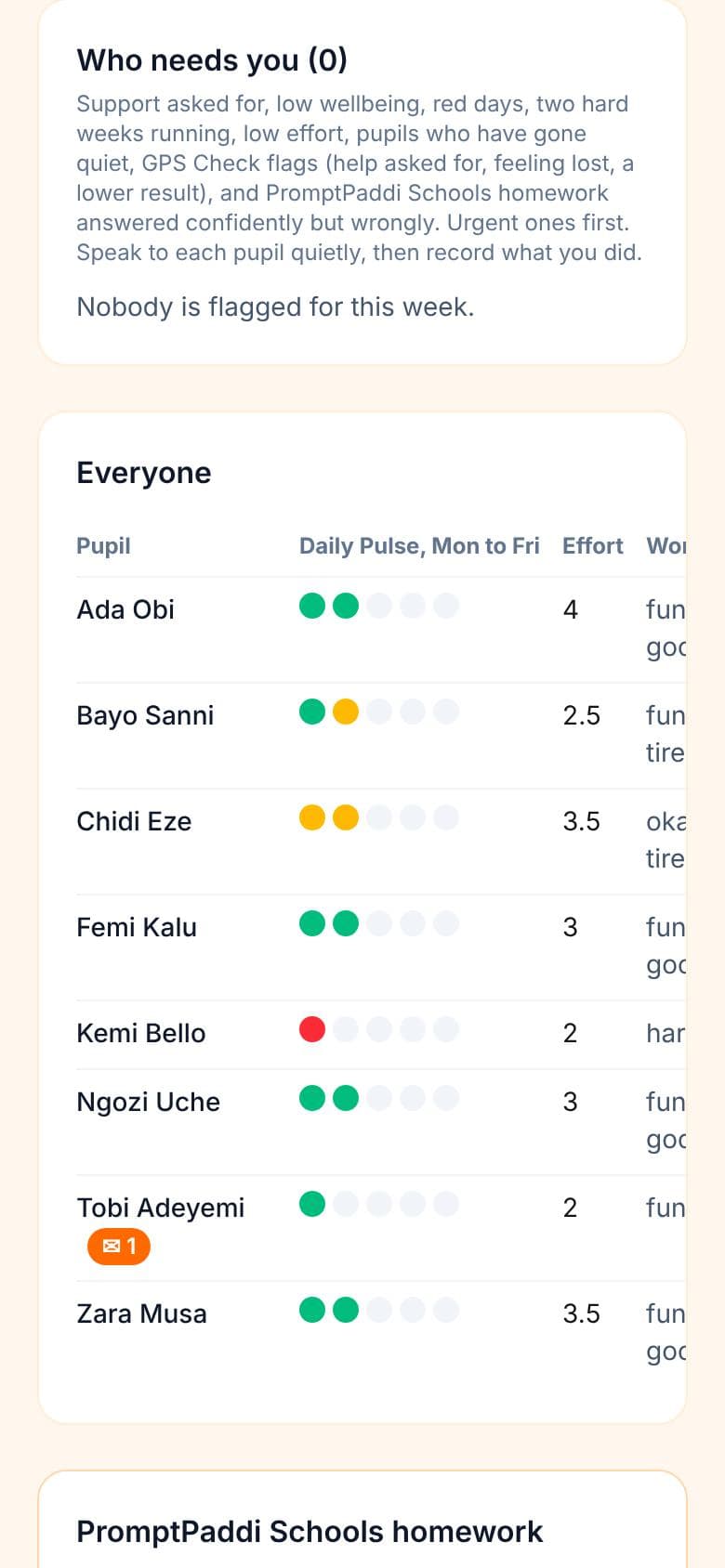
Before registration, Mrs Okafor opens her Monday list for JSS 2 Blue: the pupils who need her this week, the most urgent first. Anything urgent from the weekend has already gone to the school's safeguarding contact.
- ✓Built from each pupil's two-minute Daily Pulse
- ✓Only the form teacher sees what pupils write
🧮 Work out your school's price
A term at a time, for every pupil
A term costs
₦340,000
₦2,267 per pupil, a term
- Homework Tracker: 150 student places₦300,000
- Learning GPS: up to 150 pupils₦40,000
No account needed first. The checkout confirms the price before you pay.
🦉 Paddi Tutor and Exam Boost for your pupils
A school price, agreed with you
Give every pupil Paddi, the AI tutor, or Exam Boost for an exam class. Schools can have a negotiated price for a class, a year group or the whole school.
Questions schools ask
How does it work for schools?+
Schools have two tools, bought a term at a time.
Homework Tracker: set homework that is marked the moment each pupil answers, see who was sure but wrong, and keep a mark book, results and progress reports. Learning GPS: a two-minute Daily Pulse for every pupil and a Monday list for each form teacher of who needs them first.
Every pupil gets a private link and a QR slip, with no app to install, and what they do feeds each child's free progress dashboard.
How do I set up a school account?+
You can buy straight away, with no account needed first: choose Homework Tracker, Learning GPS or both on the For schools page and pay by Paystack or bank transfer. We make your school account when you pay. Already set up? Sign in on the school login page.
What is Homework Tracker, and how much is it?+
Homework Tracker lets a teacher set homework that is marked the moment each pupil answers, paired with how sure they were, so the teacher sees who is confident but wrong and fixes that first. Pupils get homework help too: on their own link, ready-made prompts for every topic in their scheme of work (teach me, help me practise, test me, quiz me), so they understand and practise before they answer. Homework marks go straight into the class mark book, with WAEC grades, results analysis, class position if the school wants it, and one-page progress reports. Form teachers take the daily register on a phone, and each teacher can have their own login.
₦2,000 per student a term, for at least 10 students, for a teacher, lesson tutor, parent or school.
Can our school get Paddi Tutor or Exam Boost for our pupils?+
Yes. Schools can have a negotiated price for Paddi Tutor or Exam Boost, for a class, a year group or the whole school. Email hello@promptpaddijunior.com with your school's name and how many pupils, and we'll agree a price with you.
How much is Learning GPS for a school?+
A term at a time, by the number of pupils on your roster: one class of up to 40 pupils ₦13,500, up to 150 pupils ₦40,000, 151 to 400 ₦80,000, 401 to 800 ₦107,000. More than 800 pupils or a group of schools: ask us for a quote.
Buy it on its own or in the same order as Homework Tracker, by Paystack or bank transfer, or by card with Stripe if your school is in the UK or the US.
Who sees my child's Learning GPS answers?+
At school, only the class's form teacher sees what pupils write, and school leaders see counts, not answers. If a pupil asks to talk to someone, or rates their week or a wellbeing area 1, the form teacher and the school's safeguarding contact are emailed straight away. At home, only the parent sees their child's answers.
Learning GPS supports, and never replaces, a school's safeguarding procedures.
What learner information does a school need to provide?+
Just a first name and a class label that a school administrator chooses to add. We don't require or store a learner's surname, date of birth, or any other identifying detail.
If the school adds Learning GPS, it also holds each pupil's Learning GPS answers (and, with monthly progress, their grades, attendance and check-ins), seen only by their form teacher. The school is responsible for telling parents and having their consent.
Every parent sees the same picture
What pupils do in class feeds each child's free progress dashboard, so parents, form teachers and the school work from the same page. Parents can add Paddi, the AI tutor, at home.
Already a school? School login · Every price